Logitech Muse pencil gives artists the precision Apple Vision Pro lacked
A month of testing shows the $130 stylus significantly improves spatial drawing inside Apple’s headset.

A month of testing shows the $130 stylus significantly improves spatial drawing inside Apple’s headset.

About a month ago, I dusted off the case for my Apple Vision Pro headset and powered it on while sitting in the armchair where I usually rock my son to sleep near the main window of my New York apartment.
As soon as I tried entering my passcode with a wave of my hand, I remembered why the device had been sitting unused for months.
The eye-tracking and hand-tracking precision were just off, making it a frustrating tool for creative work. Trying to select numbers for my passcode, my eyes would land on one digit but the system repeatedly entered the number above it, below it, or beside it. Imagine trying to paint something but you keep dipping your brush into the wrong color.
The Logitech Muse, a new digital pencil designed for the Vision Pro that retails for about $130 on the company’s website, aims to solve that problem.
The device has three buttons: a primary button used for drawing, a second button next to it intended for secondary actions or alternative tools, and a pairing button on the top. In practice, I primarily used the main drawing button and could not get the secondary button to register.
Over the past month, I tested the Muse with several apps and found that it significantly improves the dexterity and precision needed to make the headset a viable creative tool. The Muse feels closer to a thick marker than an Apple Pencil, with a slightly rubberized grip and enough weight to feel stable but light enough to not become tiring to hold.
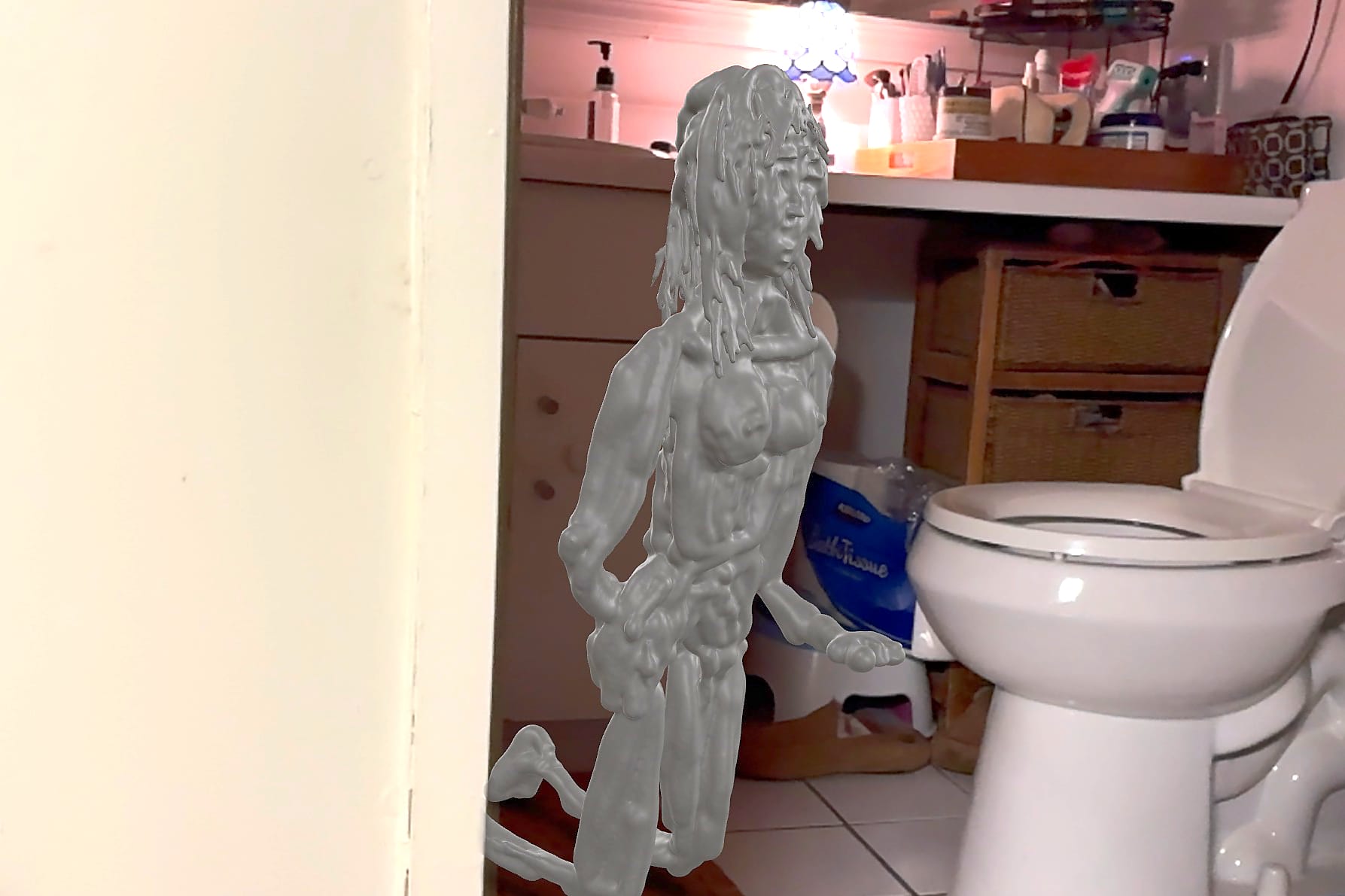
The images included in this review reflect my own artistic practice. The sculptures themselves exist only temporarily in space, and the finished artwork is the image captured from them.

When Apple released the Vision Pro in 2024, the headset was widely praised for its displays but criticized for feeling like a $3,500 device built primarily for watching media.
Last year, while working for Artnet News, I spent dozens of hours testing the device’s creative tools and interviewing developers building apps for it. At the time, I wrote that the headset “faces some early adoption challenges, including few apps, occasional crashes, and the lack of basic features in some apps like being able to save your work.”
Those challenges have not entirely disappeared. But even then, the potential behind the device was clear. And the headset also has implications beyond production—as a tool for artists communicating with their galleries and potential buyers, a topic I explored in an article for The Art Newspaper.
“I think, one million percent, galleries with the infrastructure to do so will have virtual tours of every show,” gallerist Will Shott, who runs his eponymous gallery in Manhattan’s Two Bridges neighborhood, told me at the time.
Over the past month, I returned to the headset to see how much the experience had improved.
After logging in, I first updated the device from Apple’s visionOS 2.3 operating system to visionOS 26.2, part of Apple’s newer generation of system updates. The upgrade alone made a noticeable difference. Interaction friction is lower, windows behave predictably, digital object placement sticks more reliably, and the system overall feels less fragile.
Next, I paired the Logitech Muse via Bluetooth and updated two spatial drawing apps—AirDraw by Laan Labs and Crayon by Crayon AR—which remain among the primary applications compatible with the pencil. When I first reviewed the Vision Pro for Artnet, both Crayon and AirDraw had emerged as leading apps for spatial drawing.
This time around, Crayon was not as improved as I expected after a year of development. Most of its features remain unchanged, and I encountered repeated glitches while trying to use it. I often had to force-close the app to get it running again, losing drawings in the process.
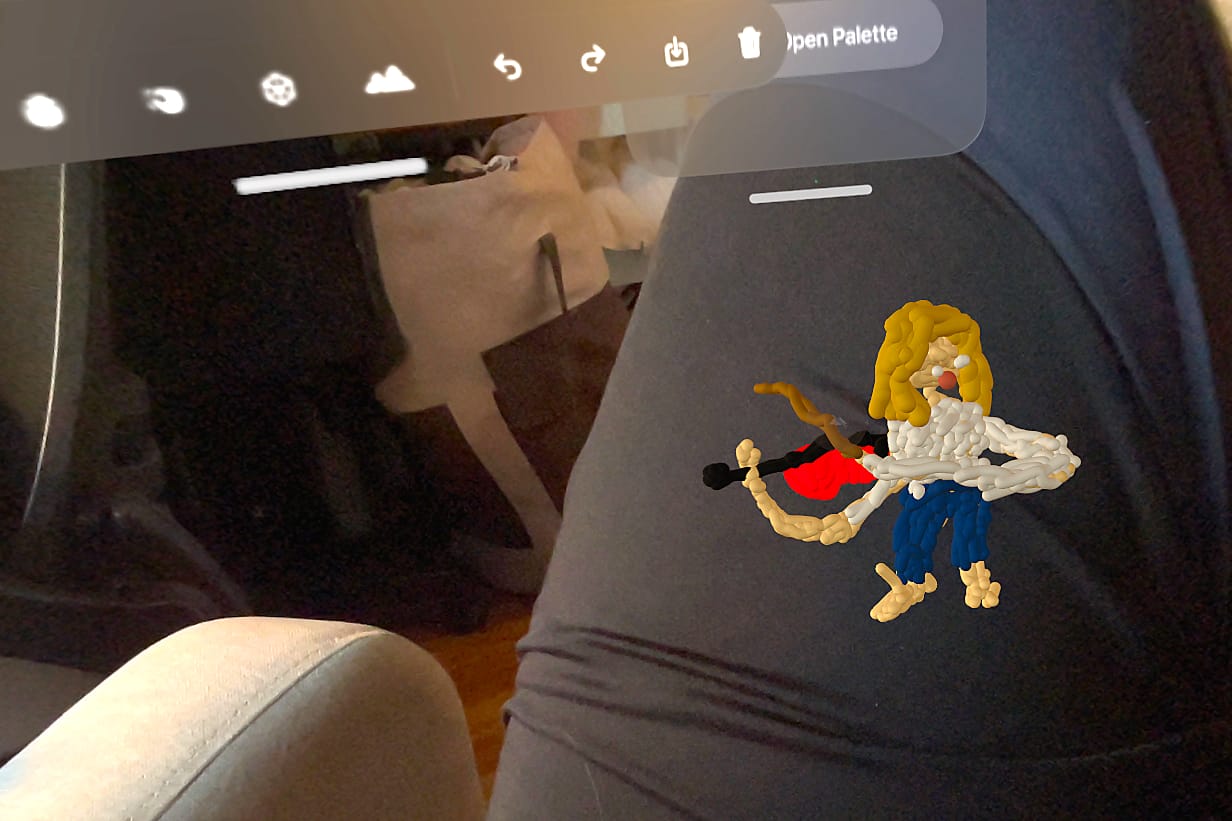
What still sets Crayon apart from AirDraw, however, is its imagination. The app includes SharePlay collaboration features and a palette system that lets users dip their fingers into colors. It can also import USDZ files and allows users to add texture maps to shapes using images from their library, though this currently works only on predefined shapes rather than the surface of hand-drawn elements.
AirDraw, however, has become the clear front-runner for spatial drawing, and most of my time over the past month was spent using it. The reason is a feature called the sculpt tool.
Unlike traditional spatial drawing—which builds objects by layering lines in space—the sculpt tool generates a single continuous form while the drawing button is pressed. The result feels less like sketching and more like carving.
My process was to create a large “marble” or “metal” block using the largest brush size possible and then gradually whittle it down using an eraser with a smaller brush size. The workflow feels closer to traditional sculpture than drawing.
The limitation is that the smallest brush size just didn’t work with the pencil, preventing me from adding ultra-fine details to my sculptures.
This is where Crayon retains an advantage. Its smallest brush size is significantly finer than AirDraw’s and allowed me to create small figurines with detailed features.
When I tried drawing without the Muse—using the standard pinch-and-draw hand gesture—the results were noticeably worse. For artists serious about creating spatial work, a handheld controller like the Muse feels less like an accessory and more like a necessity.
There are still several improvements I would like to see across the Vision Pro’s creative ecosystem: the ability to modify the color or material of objects after they are drawn, the addition of pattern and texture assignment for hand-drawn elements, more specialized brushes and sculpting tools, and improved importing and exporting of USDZ files across apps.
But compared with a year ago, the headset feels far less experimental. The combination of software upgrades and support for tools like the Logitech Muse means the Vision Pro is no longer a device I revisit every few months out of curiosity. For the first time, it feels like something I might actually use.